
School report card software for Ghanaian schools
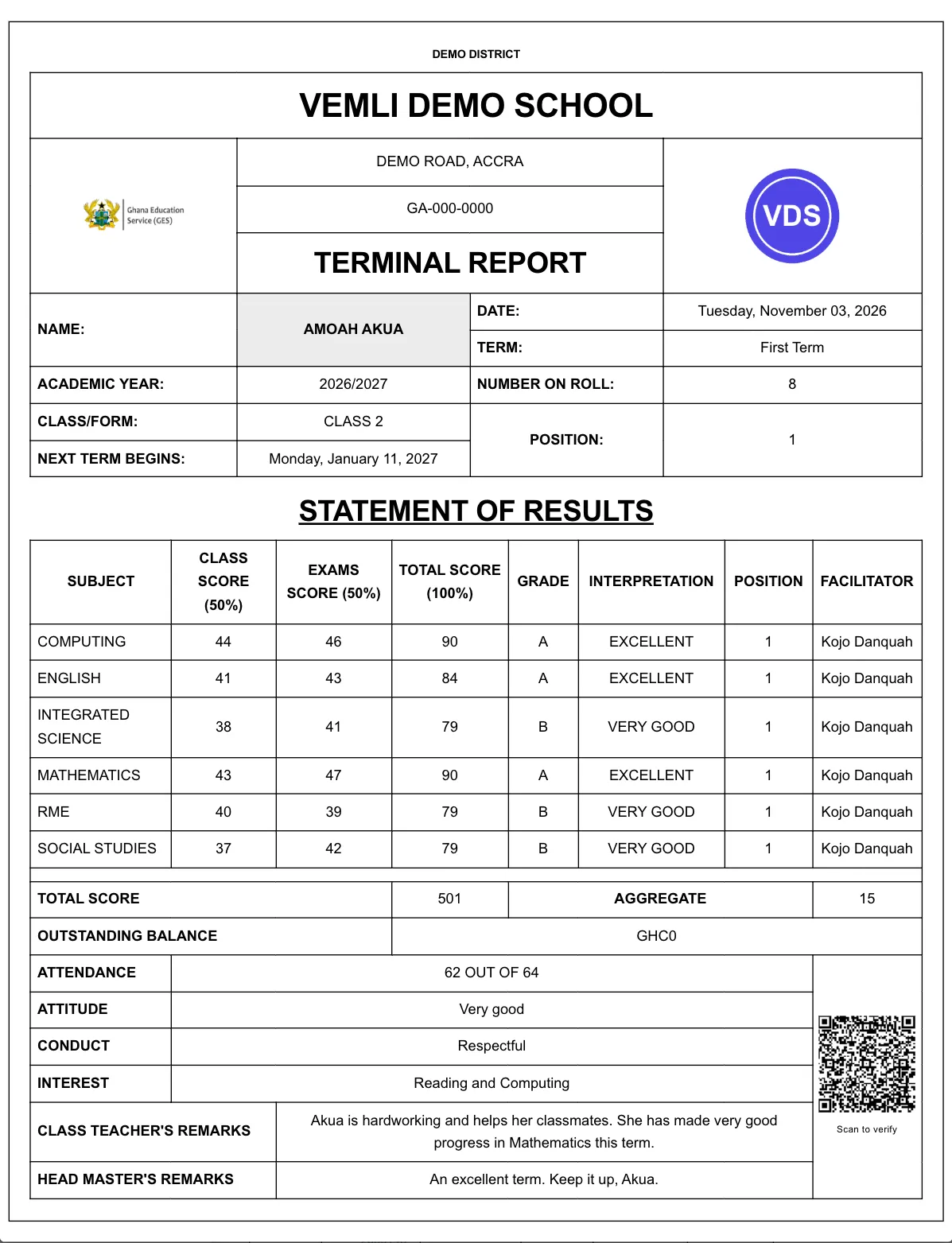
Teachers enter scores once. Vemli works out totals, grades and positions, and prepares a terminal report for every student.
- Scores, grades, position, aggregate and fee balance on one report
- Attendance, attitude, conduct, interest and remarks
- Print one report or the whole class
- A QR code on each report so anyone can verify it
Enter scores once
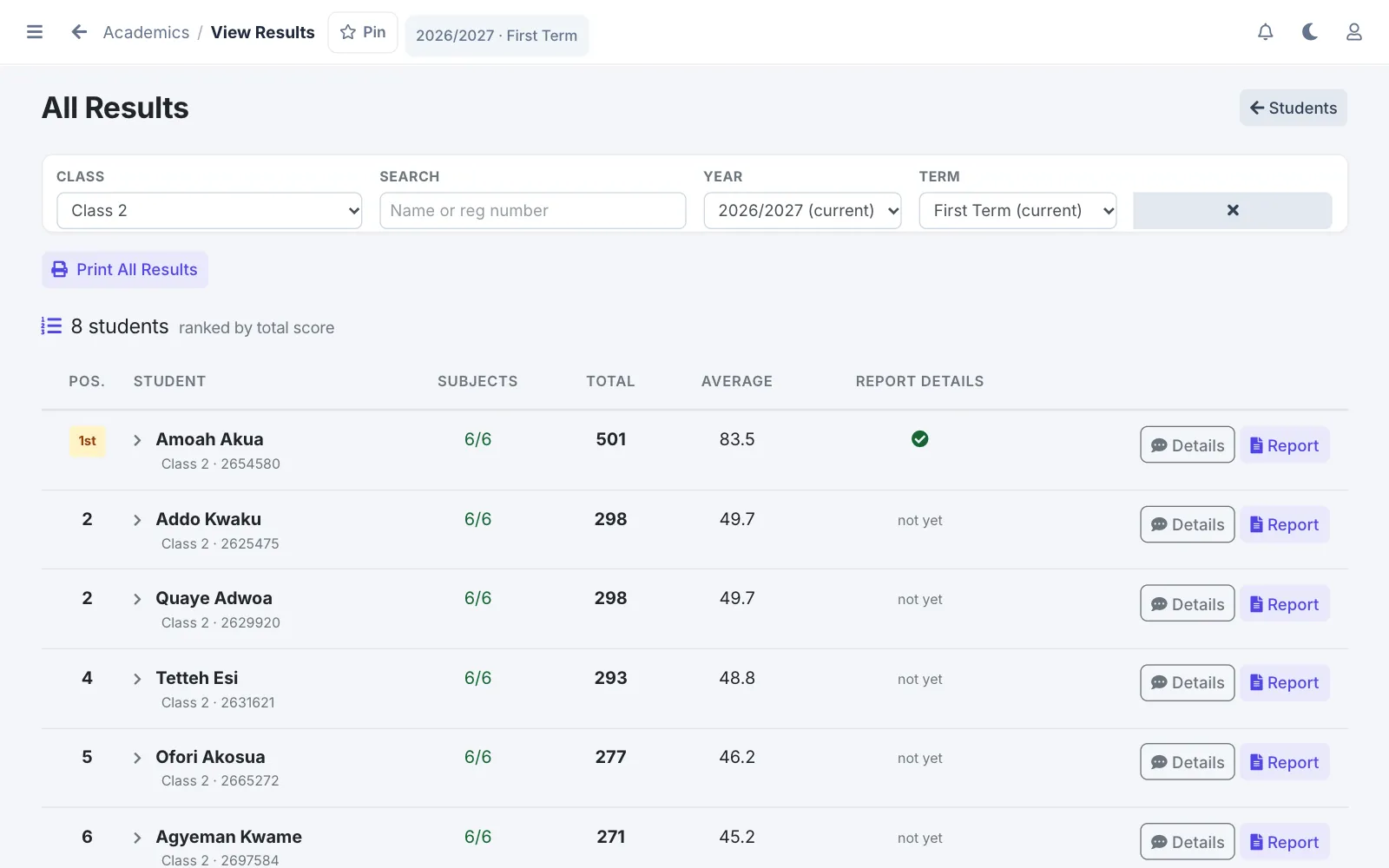
Teachers enter class scores and exam scores on one screen, by class and subject. Vemli adds them up using your school's class and exam percentages.
- Set your own class score and exam percentages
- Totals, grades and positions are worked out for you
- See the whole class ranked by total score
- Teachers only see their own classes
- Save remarks you use often and reuse them
- AI suggests the right remark for each student
More of Vemli School
School fees management
Bill every class, record payments and follow up on balances.
Biometric attendance
Fingerprint and face scan clock-ins, class registers and absence alerts.
AI for schools
Spot students who may fail, catch fee problems and save teachers hours.
Parent portal
Fees, results, attendance and homework on a parent's phone.
School payroll
Salaries, deductions and payslips for your staff.
School timetable
Build, copy and print class timetables.
SHS and TVET
Year groups, programmes, course intakes and a portal for trainees.
Boarding
Houses, rooms, beds, boarding fees and applications.
Quizzes and exams
Question banks, timed tests and an exam room.
Sick bay and medical records
Medical records, sick bay visits and health reports.
SMS and WhatsApp messaging
Messages and reminders to parents and staff.
Report cards Q&A
Can we use our own grading scale?
What does the QR code on a report do?
Can we print reports for a whole class?
Can parents see report cards on their phones?
Does attendance fill in on the report?
Finish report cards without the late nights.
Tell us about your school and how you do reports today. We'll show you how it would work in Vemli.